S3 compatibility
Buckets speak the S3 API. Point an existing SDK, CLI or backup tool at your bucket's endpoint with one of your workspace's access keys, and it works without code changes.
Connection details
Everything a client needs comes from two places: an access key from Object storage → Access keys (or Settings → Storage keys), and the endpoint, region and bucket name from the bucket's own Properties tab.
| Field | What it is |
|---|---|
| Endpoint | The API host for the bucket's region |
| Region | The bucket's region code |
| Access Key ID | One of your workspace's access keys; each works in every region |
| Secret Access Key | Its secret, shown once when you create the key |
| Bucket | The bucket name |
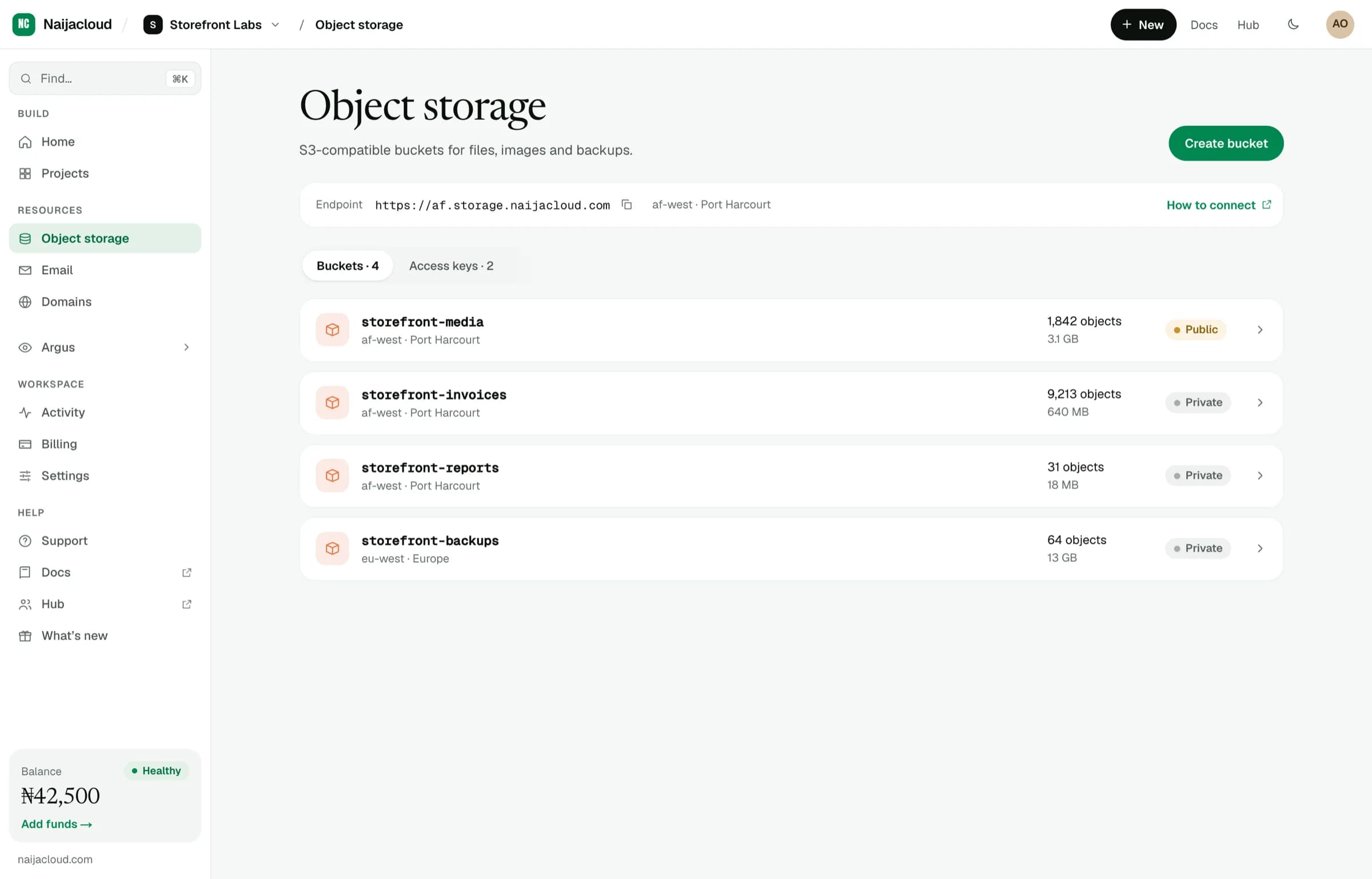
Copy the endpoint from the dashboard rather than assuming it. It is region-specific, and a client pointed at the wrong region's host will fail to find a bucket that exists.
Configuring a client
Two settings matter beyond the credentials:
- A custom endpoint, instead of AWS's.
- Path-style addressing, so the bucket is part of the path rather than the hostname.
JavaScript
import { S3Client } from '@aws-sdk/client-s3';

export const s3 = new S3Client({
  region: process.env.NC_STORAGE_REGION,
  endpoint: process.env.NC_STORAGE_ENDPOINT,
  forcePathStyle: true,
  credentials: {
    accessKeyId: process.env.NC_ACCESS_KEY_ID,
    secretAccessKey: process.env.NC_SECRET_ACCESS_KEY,
  },
});
Python
import os
import boto3

s3 = boto3.client(
    "s3",
    region_name=os.environ["NC_STORAGE_REGION"],
    endpoint_url=os.environ["NC_STORAGE_ENDPOINT"],
    aws_access_key_id=os.environ["NC_ACCESS_KEY_ID"],
    aws_secret_access_key=os.environ["NC_SECRET_ACCESS_KEY"],
)
AWS CLI
aws s3 ls s3://my-bucket \
  --endpoint-url "$NC_STORAGE_ENDPOINT"
Store the credentials as environment variables on the service, never in the repository.
Uploading an object
import { PutObjectCommand } from '@aws-sdk/client-s3';
import { s3 } from './storage.js';

await s3.send(
  new PutObjectCommand({
    Bucket: 'my-bucket',
    Key: `uploads/${userId}/${filename}`,
    Body: bytes,
    ContentType: 'image/webp',
  }),
);Set ContentType. Without it, objects are served as a generic binary type and
browsers download them instead of displaying them. That is the usual cause of
"my images download instead of showing".
Reading an object back
import { GetObjectCommand } from '@aws-sdk/client-s3';
import { s3 } from './storage.js';

const res = await s3.send(
  new GetObjectCommand({ Bucket: 'my-bucket', Key: 'uploads/42/avatar.webp' }),
);
const bytes = await res.Body.transformToByteArray();
Uploading from the browser
For user uploads, have your server sign a URL and let the browser upload straight to the bucket. The file never passes through your service, so a large upload does not occupy an instance for its duration.
import { PutObjectCommand } from '@aws-sdk/client-s3';
import { getSignedUrl } from '@aws-sdk/s3-request-presigner';
import { s3 } from './storage.js';

// Short-lived, single-purpose: this URL only permits this one PUT.
export const uploadUrl = (key, contentType) =>
  getSignedUrl(
    s3,
    new PutObjectCommand({
      Bucket: 'my-bucket',
      Key: key,
      ContentType: contentType,
    }),
    { expiresIn: 300 },
  );
The browser then PUTs the file to that URL directly.
Decide the object key on the server, from the authenticated user. If the client chooses its own key, one user can sign a write over another user's object.
Browser uploads are cross-origin, so the bucket needs to allow your site's origin. Configure that on the bucket's Permissions tab. See Access control & keys.
Listing objects
import { ListObjectsV2Command } from '@aws-sdk/client-s3';
import { s3 } from './storage.js';

const res = await s3.send(
  new ListObjectsV2Command({
    Bucket: 'my-bucket',
    Prefix: `uploads/${userId}/`,
    MaxKeys: 100,
  }),
);
Listing returns at most one page. If IsTruncated is set, pass
ContinuationToken to fetch the next page. A listing loop that ignores it
silently stops at the first page.