Preview deploys
With previews enabled, opening a pull request builds a complete environment on its own URL, forked database included, so a change can be reviewed running before it merges.
What a preview gives you
When a pull request is opened against the service's connected branch, Naijacloud builds the branch and publishes it on a URL of its own. Reviewers open the link and use the change instead of reading a diff and imagining it.
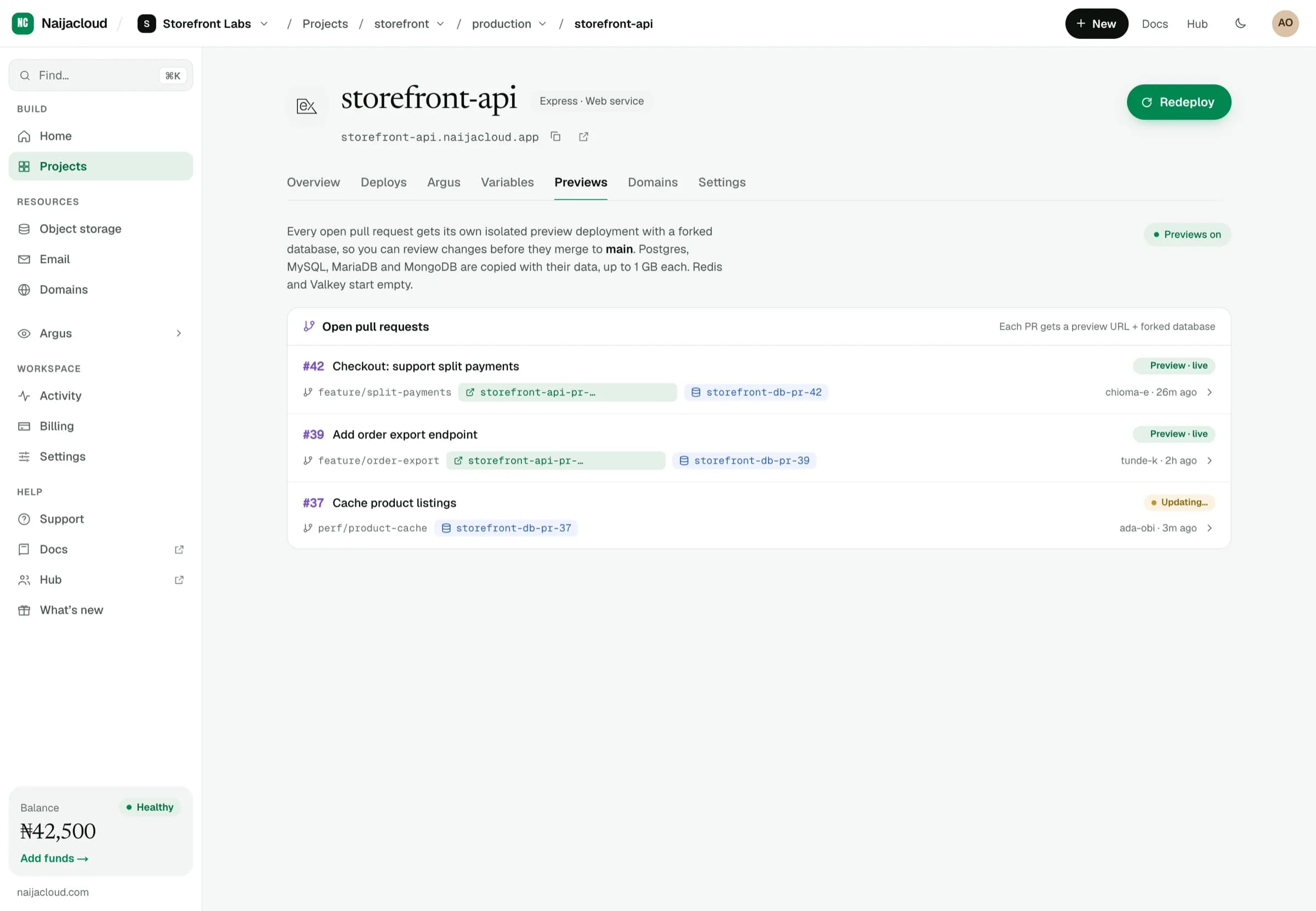
Each preview is a full environment: its own container, its own variables, and its own copy of every database in the service's environment.
| Database | In the preview |
|---|---|
| Postgres, MySQL, MariaDB, MongoDB | A copy with all its data |
| Redis, Valkey | A fresh, empty instance (they are caches) |
A copy is taken by dumping the source database straight into the preview's own. A database whose dump is larger than 1 GB, or that takes longer than 15 minutes to copy, is not copied: the preview fails and says which limit it hit.
Why the database is forked
A preview that shares production data is not safe to review: a migration in the branch would run against real rows, and a test order would land in real reporting.
Forking gives the preview a copy to work against, so you can run migrations, insert fixtures, and delete things freely. The copy is discarded with the preview.
A fork is a copy taken when the preview is created. It does not receive later writes from the source database, and its own writes never flow back.
Enabling previews
Previews are toggled per service, from its Settings tab.
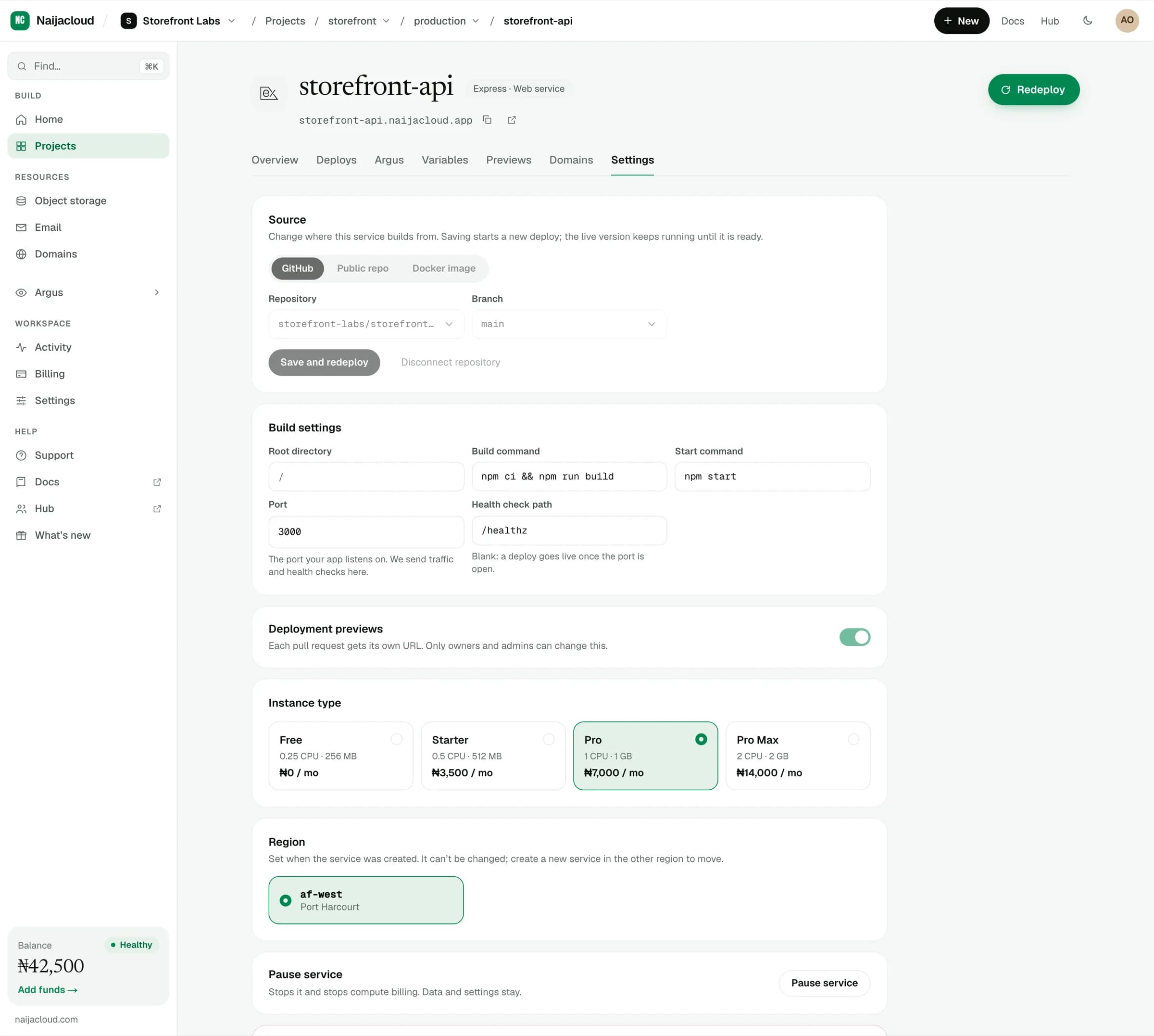
With the toggle on, previews are created for pull requests from that point onwards. Existing open pull requests get a preview on their next push.
Lifecycle
| Event | What happens |
|---|---|
| Pull request opened | Preview is built and published on its own URL |
| New commit pushed | Preview rebuilds at that commit |
| Pull request merged | Preview and its database copy are removed |
| Pull request closed | Preview and its database copy are removed |
Because previews are torn down automatically, they do not accumulate cost after a branch is done.
What a preview costs
The first 24 hours of each pull request's preview are free. After that the preview is billed at half the normal rate for its size. The 24 hours belong to the pull request: pushing new commits rebuilds the preview but does not restart the free period. You get an email an hour before it ends.
A preview's databases do not count towards your free database. If your balance runs out, previews are the first thing stopped.
Variables in a preview
A preview gets the variables of the service it was cloned from, with three changes:
- Database connection details point at the preview's copies. A full connection string, or a host, password, user or database name held in its own variable, is rewritten to the copy.
- Variables scoped to
PRODorUATare left out. Scope a production-only secret, such as a live payment key, toPRODand it is never present in a preview. - A variable that names one of your other databases is left out, because the preview has no copy of it and the only database it could reach is the real one.
Secret files are not copied into previews.
Preview URLs are unlisted but publicly reachable, so anyone with the link can open one. Keep that in mind for a change that exposes something not yet announced.