Instance types & regions
Two settings decide a service's cost and its latency: the instance type it runs on, and the region it runs in. Both can be changed after the service exists.
Instance types
An instance type is a fixed amount of CPU and memory. Web services and cron jobs offer four:
| Size | Resources | Suited to |
|---|---|---|
| Free | 0.25 CPU · 256 MB | One per workspace, at no charge. Sleeps after 15 minutes without visitors and wakes on the next visit. Side projects and trying things out |
| Starter | 0.5 CPU · 512 MB | Prototypes, low-traffic apps, dev environments |
| Pro | 1 CPU · 1 GB | Production apps with steady traffic |
| Pro Max | 2 CPU · 2 GB | Demanding, high-traffic workloads |
The API calls these FREE, STARTER, STANDARD (Pro) and PRO (Pro Max).
A free web service sleeps after 15 minutes without visitors. The next visit shows a short "waking up" page and the app is serving again in under a minute. Paid sizes never sleep, so pick one for anything that has to answer at once, such as a webhook receiver or a queue worker.
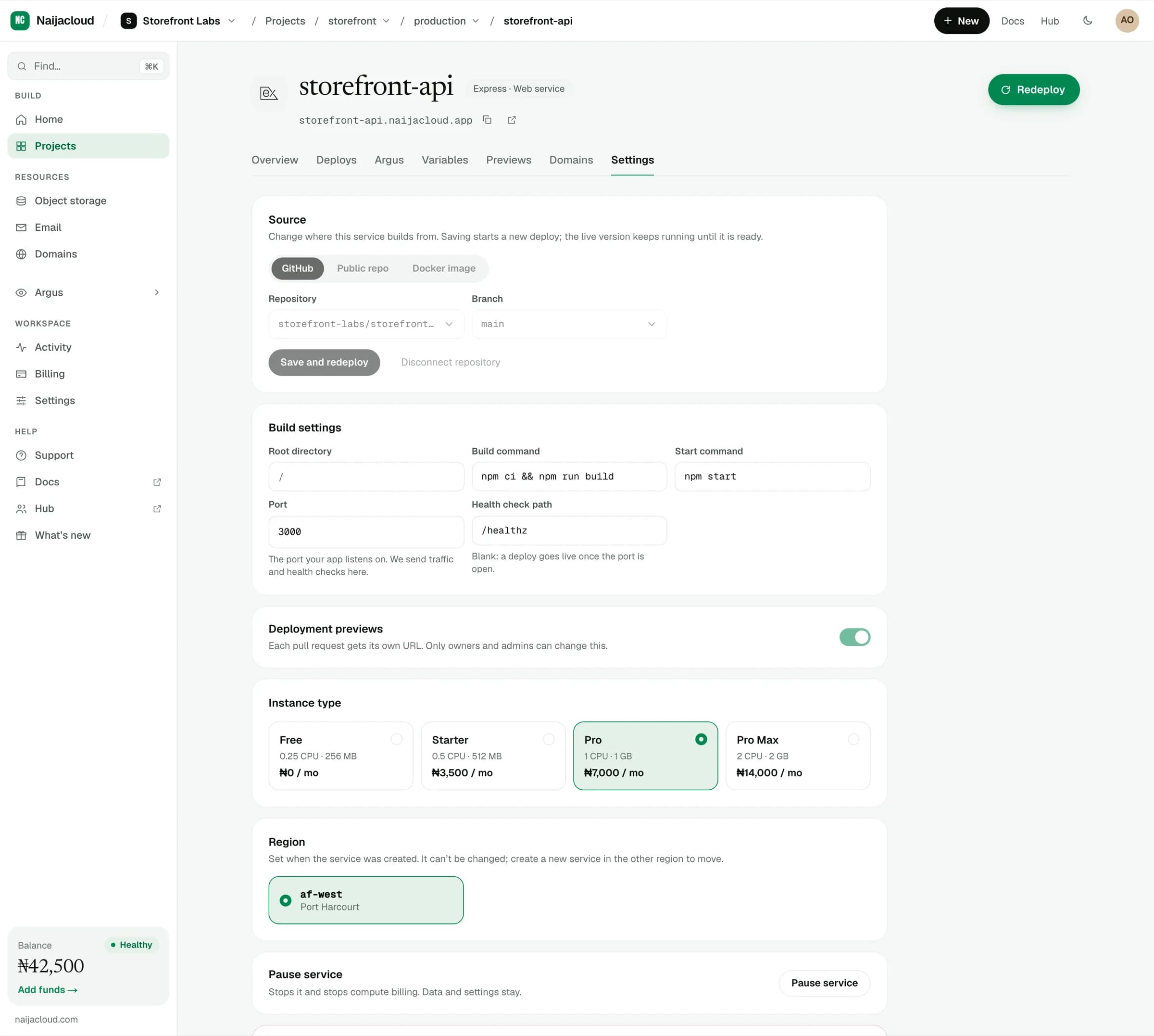
The current monthly price for each tier is shown on the cards, and in the summary panel while you are creating a service. That figure is the authoritative one, so quote it from the dashboard rather than from here.
Databases use their own tiers, including a small Dev size intended for non-production environments. See Managed databases.
Choosing a size
Memory is usually the binding constraint, not CPU. A service that is killed and restarted repeatedly under load is out of memory, not out of CPU.
- Start at Starter for
devanduat. - Use Pro for anything taking real traffic.
- Move to Pro Max when you can see sustained CPU near its ceiling, or memory headroom disappearing, on the service's overview.
Changing the instance type
Change it on Settings and save. The service restarts onto the new size, so there is a brief interruption while the new container starts and passes its health check, and no rebuild is required.
Scaling down below what the process needs will cause it to be killed shortly after starting. If a service becomes unstable right after a downsize, that is the cause.
Regions
A region is where the service physically runs. It matters for two reasons:
- Latency to your users. A request from Lagos served from a Nigerian region avoids a round trip out of the country and back.
- Latency to your data. A service and the database it reads should be in the same region. A query crossing regions pays the network cost on every call, and applications make many calls per request.
The region is chosen when you create a service, and the picker lists what is available to you. Your workspace's default for new resources is set under Settings. See Projects, environments & services.
Changing region
Region can be changed from Settings. The service is rebuilt and started in the new region, then traffic moves once it is healthy.
Move the service and the database it depends on together. Leaving an app in one region and its database in another is the slowest configuration available, and it is easy to arrive at accidentally by moving only one of them.